
WebDev
JWT Tokens
JSON Web Token (JWT) allows for securely transmitting information between parties as a JSON object. This information can be verified and trusted because it is digitally signed.
Using JSON Web Tokens for Authrization:
- Once the user is logged in, each subsequent request will include the JWT, allowing the user to access routes, services, and resources that are permitted with that token.
- Single Sign On is a feature that widely uses JWT nowadays, because of its small overhead and its ability to be easily used across different domains.
JWToken Structure
In its compact form, JSON Web Tokens consist of three parts separated by dots (.), which are:
- Header
- Payload
- Signature Therefore, a JWT typically looks like the following.
xxxxx.yyyyy.zzzzz
Examples
Header The header typically consists of two parts: the type of the token, which is JWT, and the hashing algorithm being used, such as HMAC SHA256 or RSA.
This JSON is Base64Url encoded to form the first part of the JWT.
{
  "alg": "HS256",
  "typ": "JWT"
}
Payload The second part of the token is the payload, which contains the claims. Claims are statements about an entity (typically, the user) and additional data. There are three types of claims: registered, public, and private claims.
{
  "sub": "1234567890",
  "name": "John Doe",
  "admin": true
}

The payload is then Base64Url encoded to form the **second part** of the JSON Web Token.
Signature The signature is used to verify the message wasn't changed along the way, and, in the case of tokens signed with a private key, it can also verify that the sender of the JWT is who it says it is.
Putting all together The output is three Base64-URL strings separated by dots that can be easily passed in HTML and HTTP environments.
The following shows a JWT that has the previous header and payload encoded, and it is signed with a secret: 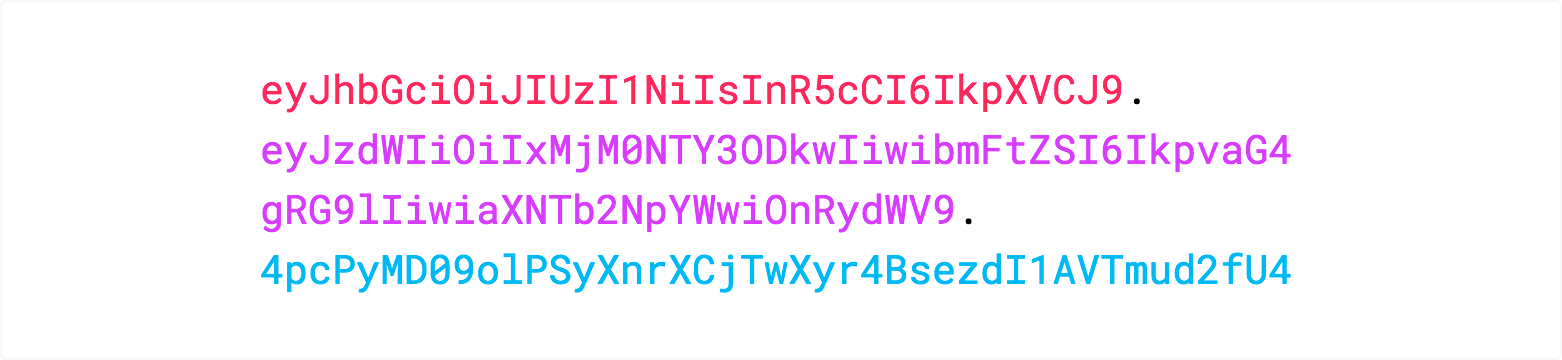
Using JWTokens
In authentication, when the user successfully logs in using their credentials, a JSON Web Token will be returned. Since tokens are credentials, great care must be taken to prevent security issues. In general, you should not keep tokens longer than required.
Whenever the user wants to access a protected route or resource, the user agent should send the JWT, typically in the Authorization header using the Bearer schema. The content of the header should look like the following:
Authorization: Bearer <token>The following diagram shows how a JWT is obtained and used to access APIs or resources: 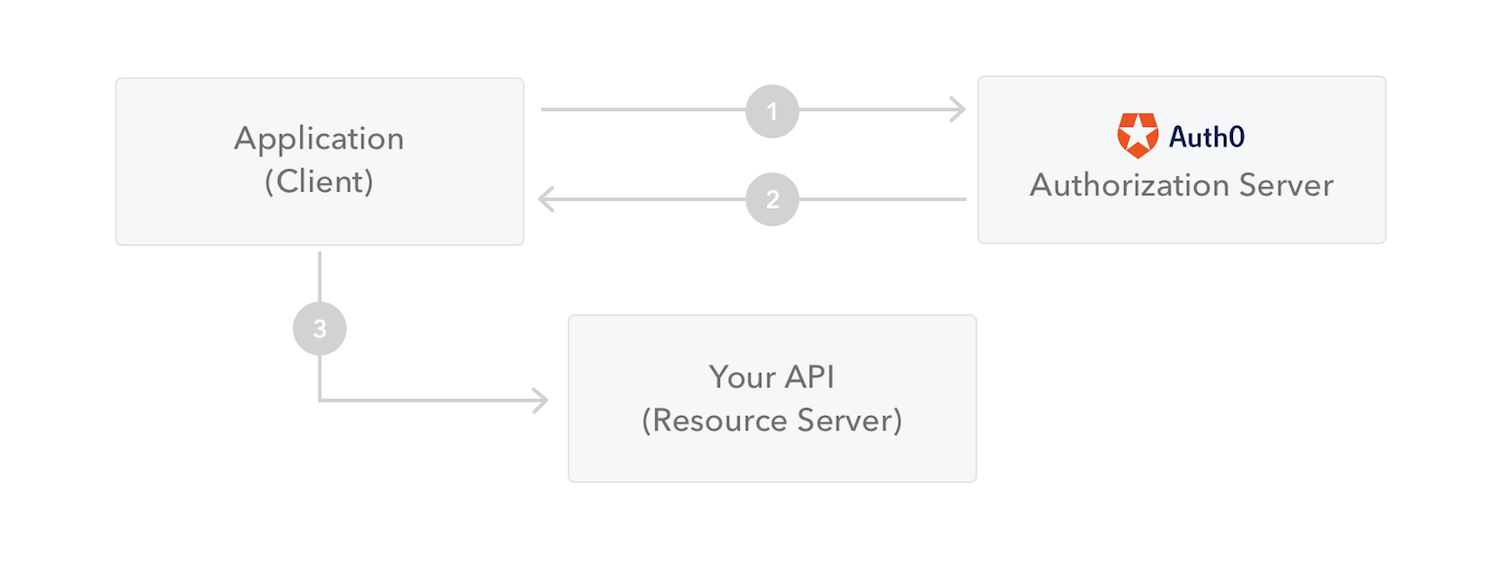
- The application or client requests authorization to the authorization server. This is performed through one of the different authorization flows. For example, a typical OpenID Connect compliant web application will go through the /oauth/authorize endpoint using the authorization code flow.
- When the authorization is granted, the authorization server returns an access token to the application.
- The application uses the access token to access a protected resource (like an API).